
Four Creative Uses for a Used Thin Client Before Buying a Mini PC
Discover how to repurpose a used thin client into a versatile computing device before opting for an expensive mini PC. Explore four innovative suggestions.
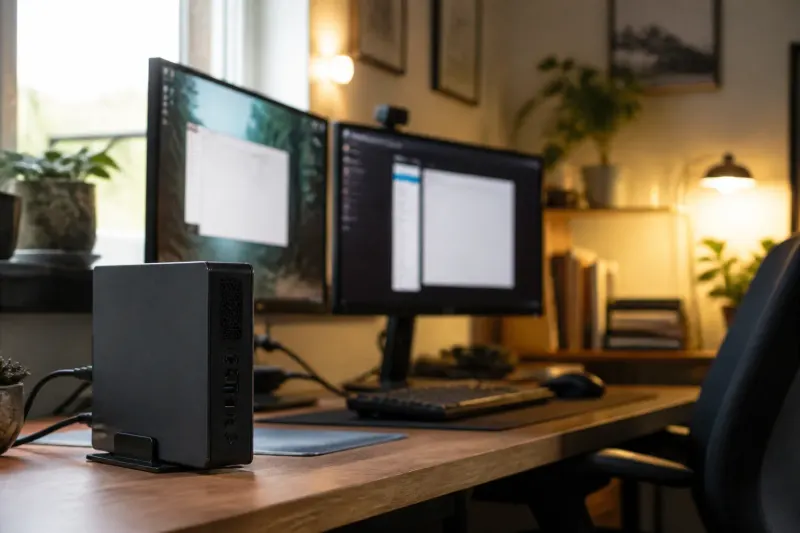
Unlocking the Potential of Thin Clients
Thin clients often evoke a sense of indifference, typically seen only in educational institutions or corporate environments as basic work devices. However, a used thin client can be an exciting and cost-effective alternative to the rising prices of new mini PCs. With adequate upgrades, these devices hold significant computing potential that many users may overlook.
Transforming into a Spare Computer
Thin clients can be repurposed as spare computers, especially when equipped with lightweight Linux distributions. If a thin client previously running Windows 10 can’t upgrade to the latest version, it still serves a function as a secondary machine. Poor performing hardware can benefit from distributions like AntiX or MX Linux Fluxbox. These systems are designed for efficiency, requiring only under 500MB of memory with minimal GPU demands.
Setting up a basic computing suite using such systems is straightforward. Users can install essential applications such as LibreOffice for document creation and web browsers for internet access. This not only breathes life into old hardware but also caters to family members who require a simple machine for tasks like web surfing and media playback.
Creating Local Cloud Storage Solutions
Building local cloud storage is another practical application for a thin client. Instead of relying on commercial solutions from giants like Google or Microsoft, users can set up private servers. Utilizing a lightweight operating system such as Ubuntu Server or DietPi, individuals can install Nextcloud, which allows for robust file synchronization and storage solutions.
Nextcloud’s versatility lets users manage files from their thin clients efficiently. By adding an extra drive specifically for backups, one can secure data with ease. Furthermore, Nextcloud has additional features that can cater to different needs, including basic document sharing and storage solutions. Alternatives like Immich can be used for photo backups and organization, addressing a range of storage needs without a hefty price tag.
Hosting a Suite of Lightweight Applications
Thin clients are excellent for hosting lightweight applications, serving as efficient platforms to replace subscription-based software. Users interested in self-hosting can set up a variety of applications, including:
- Vaultwarden - a self-hosted password manager that offers higher security and functionality than many commercial options.
- BentoPDF - a simple yet effective PDF editor.
- OmniTools - a client-side processing application that demands minimal resources.
By configuring a thin client as a server for these applications, users can save considerably compared to bundled premium services, while ensuring constant and reliable access.
Implementing a Network-wide Ad Blocker
Another valuable application for thin clients is the deployment of a network-wide ad blocker. Using software tools like Pi-hole alongside Unbound, users can ensure cleaner and faster browsing experiences across their network. While configurations of such toolsets are often seen on more powerful machines, recent tests indicate that thin clients can effectively manage these tasks as well.
This setup includes ad blocking for privacy enhancement and DNS resolving for optimal performance. Users can explore options like AdGuard for additional features, though it typically requires more resources than Pi-hole. Building redundancy into the network setup is an option, ensuring that internet access remains uninterrupted even if one device fails.

Cost-Effective Versatility of Thin Clients
For individuals seeking low-cost computing alternatives, thin clients prove advantageous. With many options available, users can find older models capable of handling a suite of self-hosted tools efficiently. Upgrades in memory and storage often enhance performance significantly, allowing previously neglected devices to fulfill various roles in home and work environments.
Case Study: HP t620 Thin ClientA prime example in this realm is the HP t620 thin client, which has emerged as a popular choice for repurposing. With dual display capabilities, robust connectivity, and the option to upgrade both RAM and storage, it stands as a reliable option for those looking to explore alternative computing solutions without the expense of a new mini PC.
Conclusion: Embracing the Old While Looking Forward
Considering the rising prices of mini PCs and the robust capabilities of thin clients, adopting refurbished technology is sensible and sustainable. Harnessing the reuse potential of thin clients can extend their life cycle while addressing ongoing computing needs. As users increasingly turn towards DIY set ups for home networking and computing, thin clients remain both a practical and versatile asset.
Key Takeaways
- Thin clients can serve as a cost-effective spare computer by using lightweight Linux distributions.
- Building local cloud storage with Nextcloud is an excellent use for thin clients.
- Users can host a suite of lightweight applications on thin clients, replacing expensive software.
- Implementing a network-wide ad blocker like Pi-hole is achievable with thin clients.
- The HP t620 thin client is a recommended model for repurposing and upgrading.
Frequently Asked Questions