
Apple HomeView Audio: What You Need to Know
This article answers common questions about the audio capabilities of the Apple HomeView, comparing it with other devices and outlining its limitations.
Understanding the Apple HomeView's Audio Capabilities
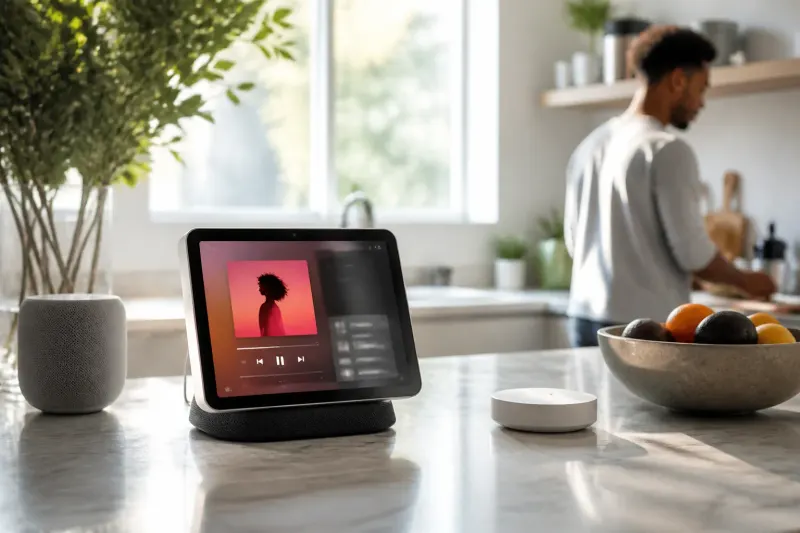
The recently launched Apple HomeView has sparked considerable interest as Apple's first smart display, blending a touchscreen interface with the functionalities of a smart speaker. Following the review of the device, questions about its audio capabilities emerged, prompting further investigation into how the HomeView performs in a competitive market dominated by established players like Sonos and the HomePod.
Audio Comparisons with Other Devices
When comparing audio quality, the HomeView ranks alongside the HomePod Mini and even the Sonos One. Although the HomeView offers satisfactory sound for its size, it does not replace larger speakers like the Sonos One or the full-size HomePod. Instead, its sound profile is most similar to the HomePod Mini 2.
- Sound Quality: The HomeView is slightly louder and produces better bass compared to the HomePod Mini, but lacks clarity and fullness that these larger competitors provide.
- Driver Setup: The HomeView utilizes two drivers alongside a woofer and passive radiators to enhance sound. The Mini 2 has a single full-range driver and two passive radiators.
- Sound Adaptation: An accelerometer in the HomeView's display adapts its EQ settings based on the tilt angle, aiming to improve audio performance regardless of placement.
Limitations in Pairing and Speaker Integration
One significant limitation is the inability to pair two HomeViews for stereo sound. Unlike the HomePod Minis, which can be combined for enhanced audio output, the HomeView is restricted in this configuration. Users can group it with other AirPlay speakers for simultaneous music playback but this does not extend to stereo pairing options.
- HomeView as a Speaker: The primary appeal of the HomeView lies in its touchscreen functionality, which facilitates easier audio control compared to relying solely on voice commands or mobile devices.
- Recommendation for Music Lovers: For those seeking quality audio performance, investing in two HomePod Minis may yield a superior listening experience over a single HomeView.
AirPlay Functionality
The HomeView supports AirPlay features, allowing users to stream audio and video easily. When connected to a compatible device, transferring music or podcasts between devices is seamless.
- Audio Handoff: A unique feature allows audio handoff from an Apple device to the HomeView simply by bringing the phone near the device. This feature works in reverse as well.
- Compatibility with Apps: Various audio and video apps, including Apple Music, Spotify, and others, are compatible, bolstered by the broad AirPlay support.
Default Speaker Settings and Limitations with Third-party Apps
While the HomeView can play audio through other AirPlay devices, it lacks the option to set a permanent default speaker. This could be potentially frustrating for users accustomed to a more integrated audio experience.
- Users' Experience: For native Apple apps, the HomeView retains previous speaker connections, which isn’t the case with third-party applications like Spotify.
- Third-party Limitations: Users experience slower loading times with apps that integrate via the CarPlay platform, creating an inconsistent experience compared to native applications.

Functionality of Streaming Third-party Music Apps
While the ability to access third-party applications, such as Spotify and Audible, exists, it comes with significant caveats. The HomeView uses existing CarPlay features for these apps, which were primarily designed for in-vehicle experiences.
- Limited User Profile Use: These apps only function correctly when your phone is connected with an established profile, limiting versatility for shared usage.
- Audio Quality and Performance Issues: Common problems include sluggish performance, often requiring manual control from an iPhone rather than the HomeView interface.
Outlook: Should You Buy a HomeView?
The Apple HomeView excels as a touchscreen music controller and provides decent audio quality for casual listening, but expecting it to replace specialist smart speakers might lead to disappointment. For users who prioritize audio quality, investing in dedicated speakers like the HomePod Mini 2 is advisable, especially if they primarily utilize Spotify or similar platforms.
Consumers looking for a more feature-rich experience may find that the HomeView suits their needs if they desire a multipurpose smart display integrated into their environment.
Key Takeaways
- The HomeView offers better bass and volume than the HomePod Mini.
- Two HomeViews cannot be paired for stereo sound.
- The device supports AirPlay but lacks default speaker functionalities.
- Third-party app integration remains limited and inconsistent.
Overall, the Apple HomeView serves as a suitable option for users who need a smart display, but those seeking to enhance their audio experience may want to consider specialized devices.
Frequently Asked Questions