
BenQ Creative Pro PD2732U: A Compelling Monitor for Professionals
The BenQ Creative Pro PD2732U offers exceptional color accuracy and connectivity for professionals, making it a strong competitor against pricier models.
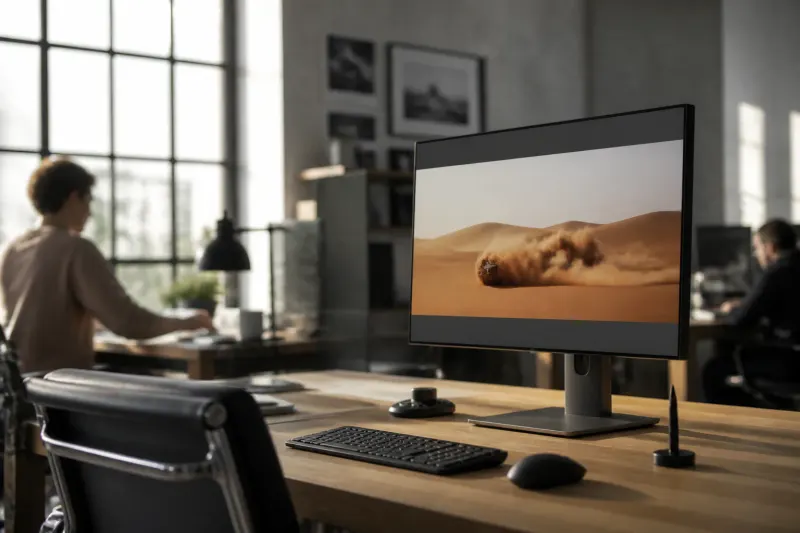
Introducing the BenQ Creative Pro PD2732U
The BenQ Creative Pro PD2732U is a high-quality monitor designed for professionals who demand exceptional color accuracy and performance. Priced at $699 (or £649), it offers a competitive option compared to more expensive models like the Apple Studio Display, which retails for around $1,500. With its sleek design, comprehensive connectivity, and impressive color features, the PD2732U stands out as an optimal choice for photographers, creators, and editors.
Key Specifications
| Specification | Value |
|---|---|
| Display Size | 27 inches |
| Resolution | 3840 x 2160 (4K) |
| Aspect Ratio | 16:9 |
| Refresh Rate | 60Hz |
| Response Time | 5ms |
| Panel Type | IPS |
| Color Depth | 10-bit |
| DPI | 163 |
| Weight | 18.87 lbs (with stand) |
Design and Build Quality
The PD2732U is not just functional but also aesthetically pleasing. Its gunmetal finish offers a modern and professional look, which is a step up from the gray bezels seen on other models like the PD3226G and PD2730S. Boasting a robust metal construction, it is built to withstand daily use while providing stability, even during desk movements. With dimensions of 24.2 x 16.9-21.5 x 9.5 inches, this monitor fits well into most workstation setups, allowing for additional monitors if required.
Port Availability and Connectivity
The monitor is packed with ports to enhance its versatility, including:
- 1x HDMI 2.0
- 1x DisplayPort 1.4
- 2x Thunderbolt 4 (each with 90W power delivery)
- 3x USB-A ports (downstream)
- 1x USB-C port (upstream)
These connectivity options are a boon for professionals who may switch between devices or need to connect multiple peripherals. The Smart KVM feature allows users to control two computers with a single keyboard and mouse, adding to the monitor’s functionality.
Photography-Centric Features
One of the standout aspects of the PD2732U is its dedicated Adobe RGB mode, allowing photographers who print their work to achieve greater accuracy in colors. This feature displays a broader color gamut necessary for high-quality prints. The monitor also carries several certifications, including Calman Verified, Pantone Validated, and Pantone SkinTone Validated, which affirm its capability to reproduce human skin tones accurately and its exceptional color performance.
Color Coverage Comparison
| Monitor | sRGB Coverage | DCI P3 Coverage |
|---|---|---|
| BenQ PD2732U | 147.1% | 104.2% |
| Apple Studio Display | 114.1% | 80.8% |
| BenQ PD2730S | 104.9% | 98.3% |
| Alogic Edge 40-inch 5K Ultrawide | 104.5% | 99.8% |
| BenQ PD3226G | 147% | 104.1% |
Brightness Comparison
| Monitor | Peak Brightness (SDR) | Peak Brightness (HDR) |
|---|---|---|
| BenQ PD2732U | 182.6 nits | 184 nits |
| Apple Studio Display | 518 nits | N/A |
| BenQ PD2730S | 388.2 nits | 346 nits |
| Dell Pro P3426WEV | 284.8 nits | N/A |
| Alogic Edge 40-inch 5K Ultrawide | 417 nits | 216 nits |
Performance and User Experience
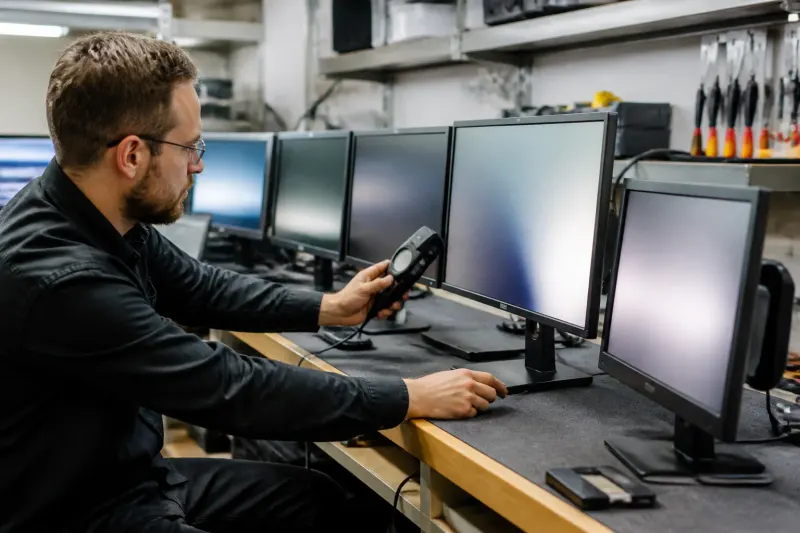
In practical use, the PD2732U has been tested for both video watching and photo editing. It excels in these areas, showcasing vibrant, accurate colors devoid of any noticeable distortion. Furthermore, it has a Delta-E score of 0.11, indicating outstanding color accuracy—a crucial metric for creative professionals.
Moreover, the monitor's Eye Care technology reduces flickering, helping to minimize eye strain during extended periods of use, which is beneficial for those who work long hours in front of screens. The addition of the Hotkey Puck controller simplifies adjustments for color modes without needing to access the physical buttons. Users can customize the buttons for quick access to their favorite features, enhancing workflow efficiency.
Limitations of the PD2732U
Despite its strengths, the PD2732U isn't without its drawbacks. The monitor's peak brightness is 182.6 nits in SDR mode and 184 nits in HDR mode, which can be limiting for certain viewing environments. The low luminosity means that users might struggle in brightly lit spaces, potentially affecting the experience while watching movies or playing games.
Additionally, with a 60Hz refresh rate, the monitor isn’t built for high-performance gaming. It may not suffice for video editors working with higher frame rates, leading to a less optimal experience during intensive editing tasks.
Is the BenQ Creative Pro PD2732U Right for You?
The BenQ Creative Pro PD2732U represents a fantastic option for professionals focused primarily on color accuracy rather than brightness or high refresh rates. With its robust design, extensive features tailored for creators, and competitive pricing, it poses a strong alternative to more expensive monitors, particularly the Apple Studio Display. For users requiring exceptional color management, a stylish build, and diverse connectivity options, the PD2732U should meet their needs well.
Key Takeaways
- Price Point: The BenQ Creative Pro PD2732U is priced at $699.
- Color Accuracy: It covers 147.1% of the sRGB and 104.2% of the DCI P3 color spaces.
- Brightness Limits: Achieves a peak brightness of 182.6 nits in SDR and 184 nits in HDR.
- Refresh Rate: Limited to 60Hz, which may not be suitable for high-framerate video editing.
- User-Friendly Features: Includes a Hotkey Puck for seamless adjustments and enhanced usability.
Conclusion
For professionals in photography and serious editing, the BenQ Creative Pro PD2732U stands out as a top contender with its exceptional build quality, extensive port selection, and brilliant color features. While it may fall short in brightness and refresh rate, its strengths in color management and usability more than compensate, making it a worthy addition to any creative workspace.
Frequently Asked Questions